

Overview
Take the guesswork out of quoting. With The Home Depot product and pricing built into Jobber, you can search the embedded catalog, view complete product details, and add materials to quotes in seconds. Use verified pricing to create quotes that are fast, accurate, and protect your margins.
With this integration, you’ll see current in-store availability as you quote so you can show up with the right materials, avoid last-minute supply runs, and keep every job on schedule.
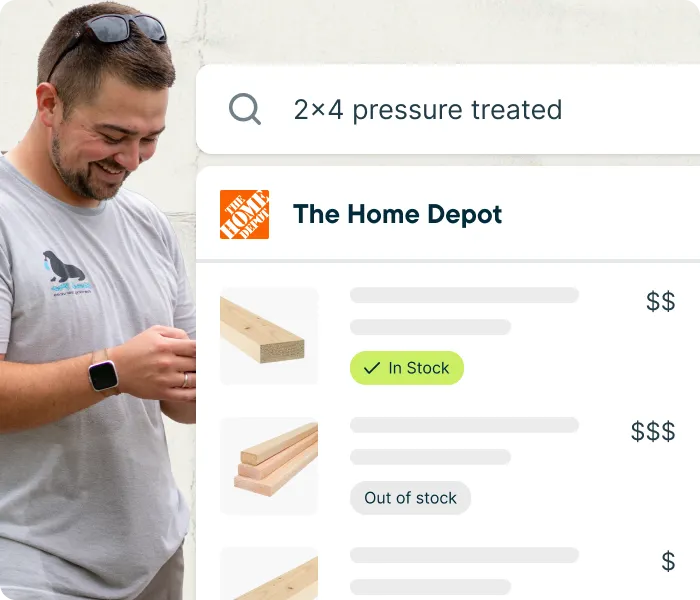
The Home Depot integration availability
The Jobber and Home Depot supplier catalog integration is available in the United States on Jobber’s Core, Connect, Grow, and Plus plans.
Note: The Home Depot integration cannot be set up if you are using the legacy QuickBooks Integration. Learn how to Migrate to the NEW QuickBooks Integration.
Turn on The Home Depot integration
To get started with The Home Depot and Jobber integration so you can add products from their catalog to quotes:
- Sign into Jobber.com.
- Click Apps from the side navigation.
- From the App Marketplace, click The Home Depot.
- Click Turn On.
Note: To turn off the integration, follow the same steps, but click Turn Off instead of Turn On on the last step.
Connect your Pro Xtra account
If you have a Home Depot Pro Xtra account, you can connect it to Jobber to see your account-specific Pro Xtra pricing in the Home Depot product catalog. This follows the same plan and region availability as the base integration: Core, Connect, Grow, and Plus plans, in the United States only.
To connect your Pro Xtra account:
- From The Home Depot listing in the App Marketplace, click Connect your Pro Xtra account.
- Enter the phone number associated with your Pro Xtra account, then click Send Verification Code.
- Enter the verification code sent to that phone number.
Once your code is confirmed, you’ll see your Pro Xtra pricing in the Home Depot product catalog.
Note: If you start connecting your Pro Xtra account but close out before entering the verification code, you’re left in a partially connected state. Click Connect your Pro Xtra account again to disconnect and start over.
Add materials from The Home Depot catalog to your quotes
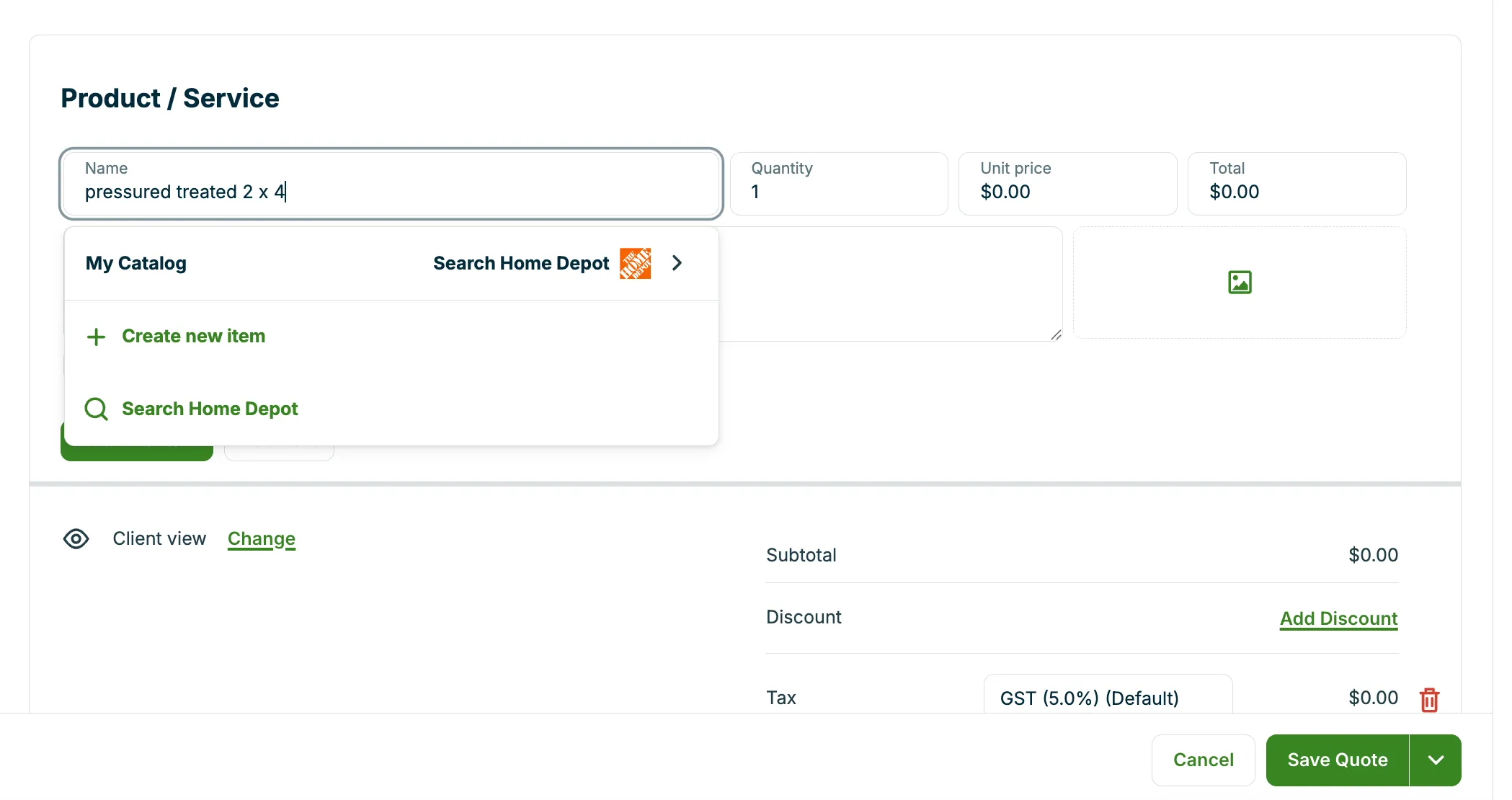
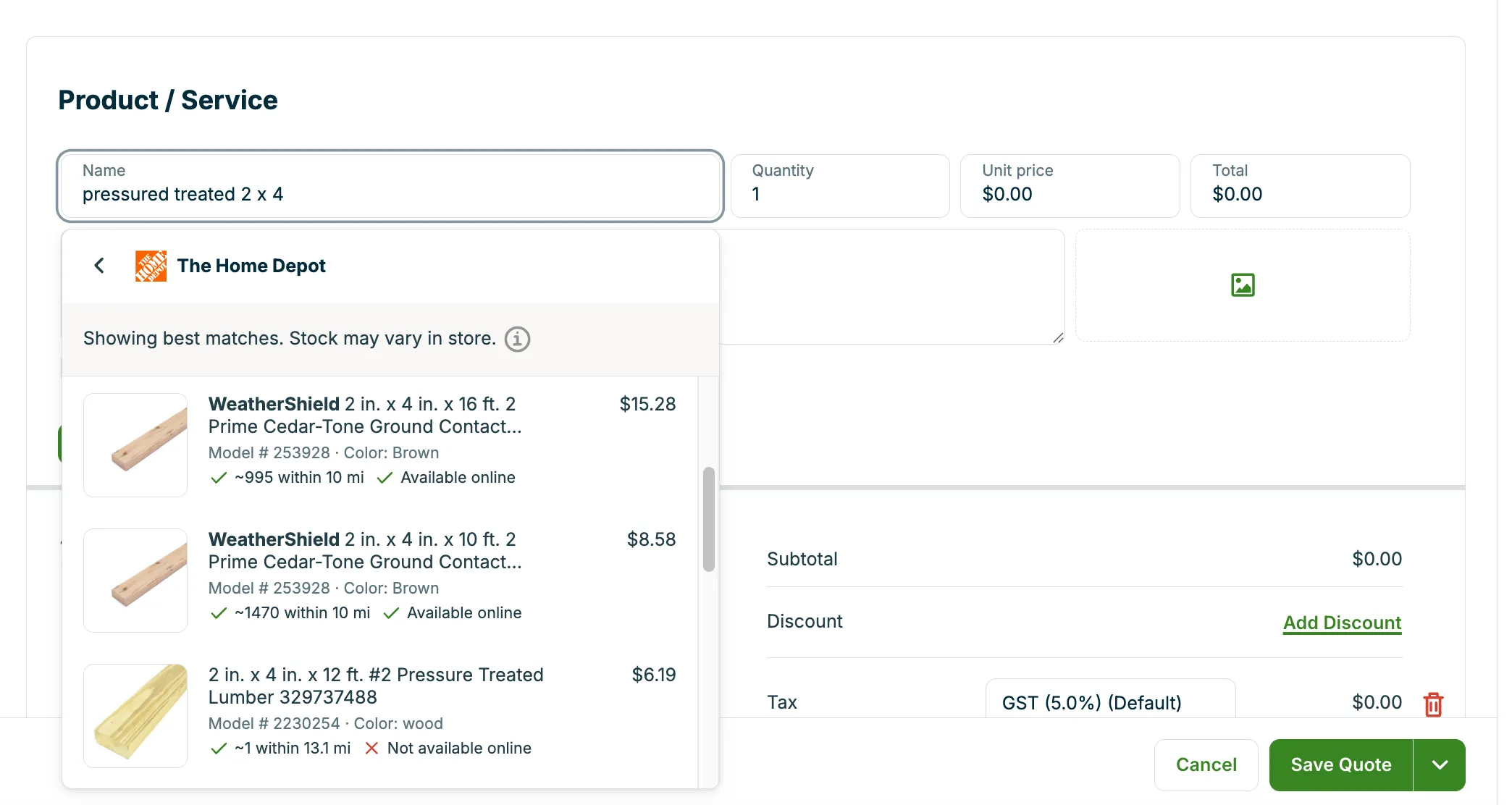
1. When you create or edit a quote, you can search The Home Depot catalog directly. Under Product / Service, type the product name and click Search Home Depot. The system shows you a list of relevant products with current pricing and online stock availability.
Note: In-store availability is based on your company address as entered in your company settings. Availability for each search result is gathered from stores within 50 miles of your company address, and the price shown in Jobber is typically the price at your nearest store with the product in stock. If there is no availability within 50 miles, then the online price is shown.
2. Select the product to add it to your quote. Verified product details and vendor-supplied images will be added automatically, along with the current price from Home Depot. Add your markup, confident that you’re working with accurate costs. This lets you quote faster and more accurately while protecting your profit.
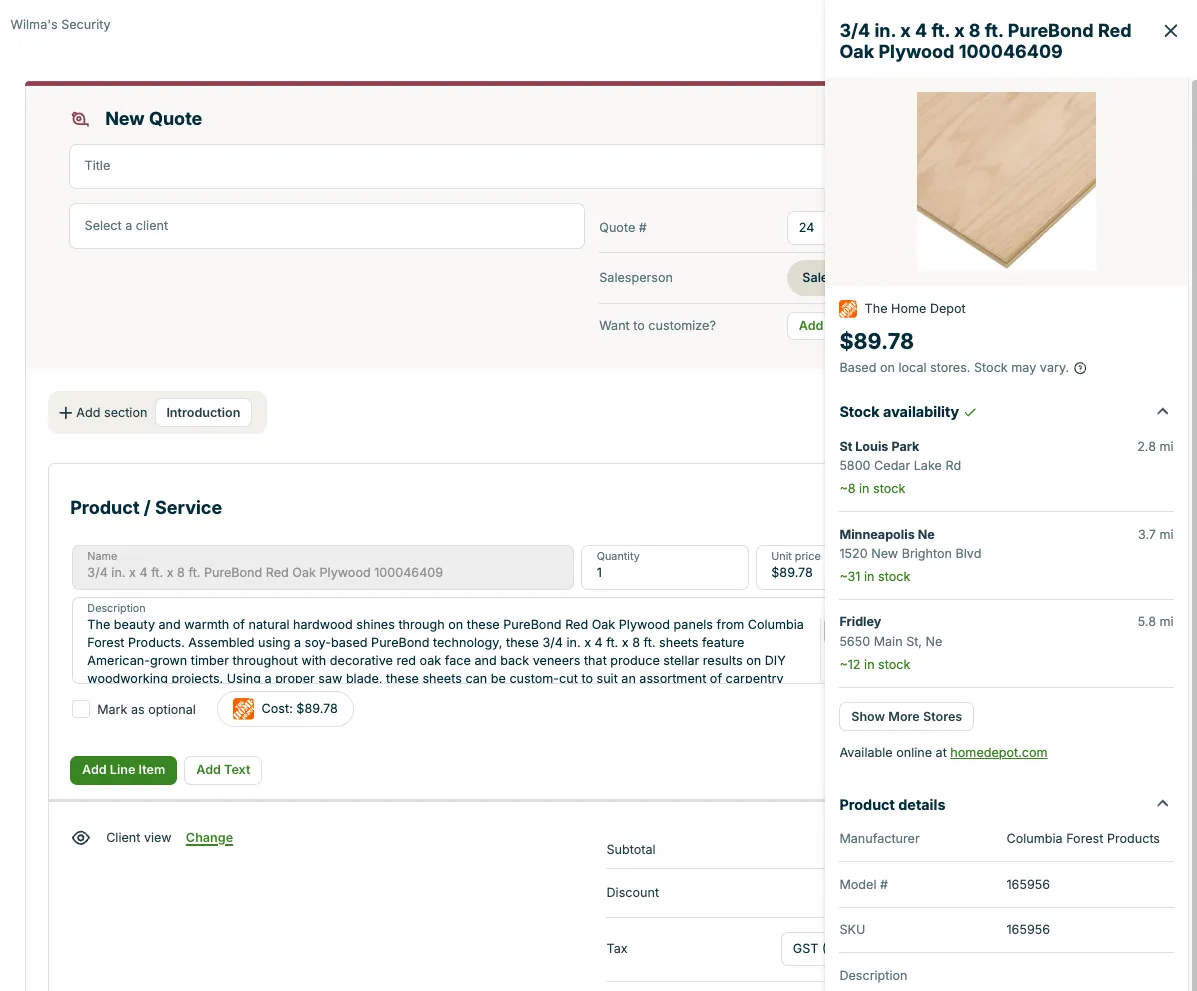
3. To view product details, click the Home Depot logo on the line item. From there, you can see more information and navigate to the Home Depot website if needed.
4. Continue your quoting process as usual, knowing you’re building a quote that protects your profit margins and sets you up to hit the jobsite fully prepared.
What does the cost provided by the integration actually represent?
The cost shown is typically the in-store price from the closest location within 50 miles of your company address where the item is available. Store availability is based on the company address entered in your company settings. If the item isn’t available at any nearby stores, the integration shows the online price, which is the national average price provided by Home Depot.
Is there a way to see the exact stock at each store near my company address?
Yes. You can view stock availability at nearby Home Depot locations by following these steps:
- Add the product as a line item to your quote.
- Click the Home Depot icon on the line item.
- A side drawer will open with detailed product information, including stock quantity for the nearest 20 Home Depot stores within 50 miles of your company address.
Note: Stock availability is refreshed once every 24 hours so in-store availability may vary.
Can I add Home Depot products on my quote templates?
Yes. Here’s how it works:
- When creating or editing a quote template, you can search the Home Depot catalog just like you can when building a regular quote
- Any Home Depot items added to a quote template will be automatically tracked for price updates
- If prices have changed since you last used that template, Jobber will:
- Update the cost fields for those items
- Show a banner at the top of your quote to let you know that some costs have changed
This will ensure your quotes always reflect the most up-to-date Home Depot costs.
Can I add Home Depot products to my list of Products & Services?
No, at this time there isn’t an option to save a Home Depot item to your list of products and services. Currently, Home Depot products can only be added when creating or editing quotes.
Can I search for Home Depot products when creating a job from scratch?
No, at this time there isn’t an option to access the Home Depot catalog during job creation. It is currently only available when creating or editing quotes.
Can I customize the line item details after I’ve added a Home Depot item to a quote?
Yes. The following fields are completely customizable:
- Quantity
- Unit cost
- Unit price
- Description
- Image
Even if you edit these fields, you’ll still be able to view the original values by clicking the Home Depot logo with the bubble around it.The only field that cannot be customized is the name field.
Will the images be shown to my clients?
Yes. The Home Depot product images will appear for your clients in both the PDF versions of your quotes and in client hub. Clients will also see all the other main line item details (such as description and unit price). The only details that remain hidden are your unit cost and the Home Depot logo bubble displayed below each Home Depot line item.
Will the costs ever automatically update on my quotes?
No. On traditional quotes, the cost values will not be automatically updated by the integration, especially not if the quote has already been sent to a client or approved.
On quote templates however, the system automatically checks for price changes whenever you open an existing quote template or use an existing quote template to generate a new quote. If any price changes have been detected, you will see a banner that says:
Home Depot product costs have changed since you last used this template.
The banner will include a button for Update Unit Costs.
Will there be other suppliers to search from in the future, or only The Home Depot?
Yes. Jobber is actively working with additional retailers and distributors to provide similar integrated functionality in Jobber.
How do I share feedback about the Jobber and The Home Depot Supplier Catalog integration?
To share feedback with Jobber about the The Home Depot integration:
- Sign into Jobber.com.
- Click Apps from the side navigation.
- From the App Marketplace, click The Home Depot.
- Locate the Share Feedback section, then click Send feedback.