

Overview
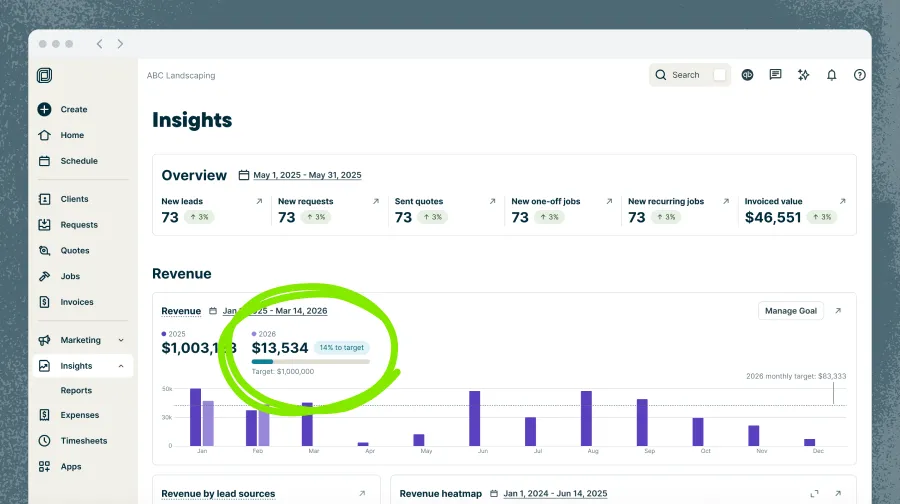
Use Revenue Goals to set an annual revenue target and monitor your progress throughout the year from your Insights dashboard. This helps you understand how your business is performing and how close you are to hitting your target.
Revenue Goals availability
Revenue goals are available on the Plus Plan. View our current pricing plans.
To check what plan you’re on, select the Gear Icon, then choose Account and Billing. If you have any questions about your plan’s features or pricing, our support team is here to help!
Company admins can set, edit, and remove revenue goals, while any user with access to Insights can view the goal and track progress toward it.
Set a revenue goal
Revenue goals are set for a calendar year (January 1–December 31), with one goal allowed per year. Each goal must be greater than $0.
To set a revenue goal:
- Sign in to Jobber.com.
- From the side navigation, go to Insights.
- Select Revenue.
- Click Set Goal (or Manage Goal if a goal already exists).
- Enter your target revenue amount for the current calendar year.
- (Optional): Set a goal for next year.
- Click Set Goal to save.
Notes: Revenue goals must be managed from Jobber.com, rather than the Jobber app.
What counts as revenue?
Revenue is calculated as the total value of sent invoices, after discounts and before tax.
This means:
- All sent invoices are included, whether they’ve been paid or not
- Discounts are subtracted
- Taxes are not included
Edit or remove a revenue goal
To edit or remove an existing revenue goal:
- Sign in to Jobber.com.
- From the side navigation, go to Insights.
- Select Revenue.
- Click Manage Goal.
- Update your goal amount then select Save, or to delete the goal, select Remove.
Track your revenue goal progress
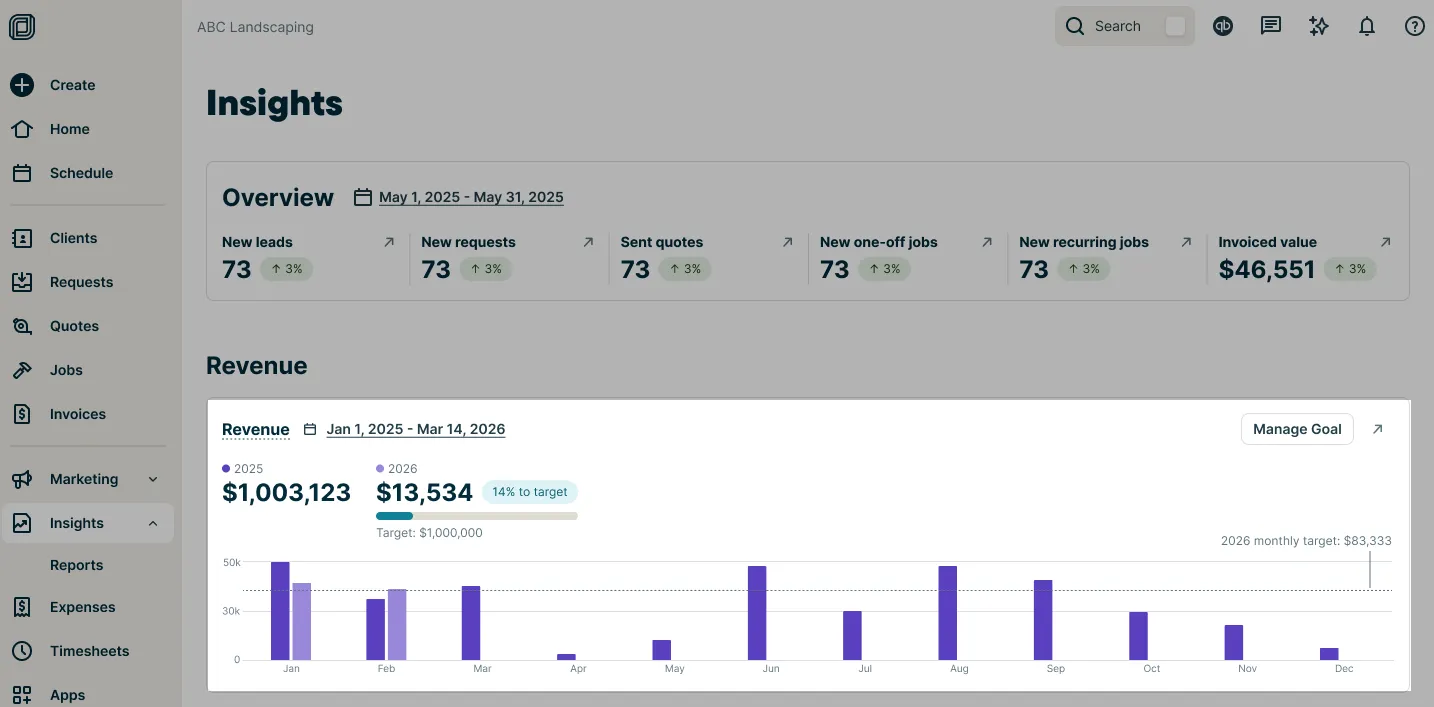
Once your goal is set, you can track your progress in the Revenue section of Insights.
You’ll see:
- Progress toward your goal as a percentage
- Your annual target amount
- A reference line on the chart to help you track pacing:
- Weekly view: your goal divided by 52
- Monthly view: your goal divided by 12
- Previous year’s revenue when setting your goal, to help guide your target
Can I set monthly or weekly revenue goals?
No. Revenue are set on an annual basis, rather than weekly or monthly However, weekly and monthly targets are automatically calculated to help you track your progress.
Can I retroactively set revenue goals for past years?
No. You can set revenue goals for the current year and the next year, not past years.
Can I set more than one revenue goal per year?
No. Each year can only have one revenue goal.
Does Jobber tell me if I’m on track to hit my revenue goal?
You can see your progress towards your revenue goal as a percentage from the insights dashboard. This can be compared to your the monthly target line to see if you are on track, but Jobber doesn’t provide on-track or off-track indicators.
Can I access revenue goals outside of insights?
No. Revenue goals are available in the Insights dashboard.